



How to backup your website files and databases
In this tutorial, we show you 2 ways of backing up your website files and database files to avoid loss of data.
1. Timeline backups
At uHostAfrica, we provide you with a service we call a timeline backup system. This is an automatic storage service, that runs once daily. It stores files for your website and databases in a secondary server, ready for when you need it.
To check if your account has the services, log in to your Control Panel. You will see a Timeline Backups option.
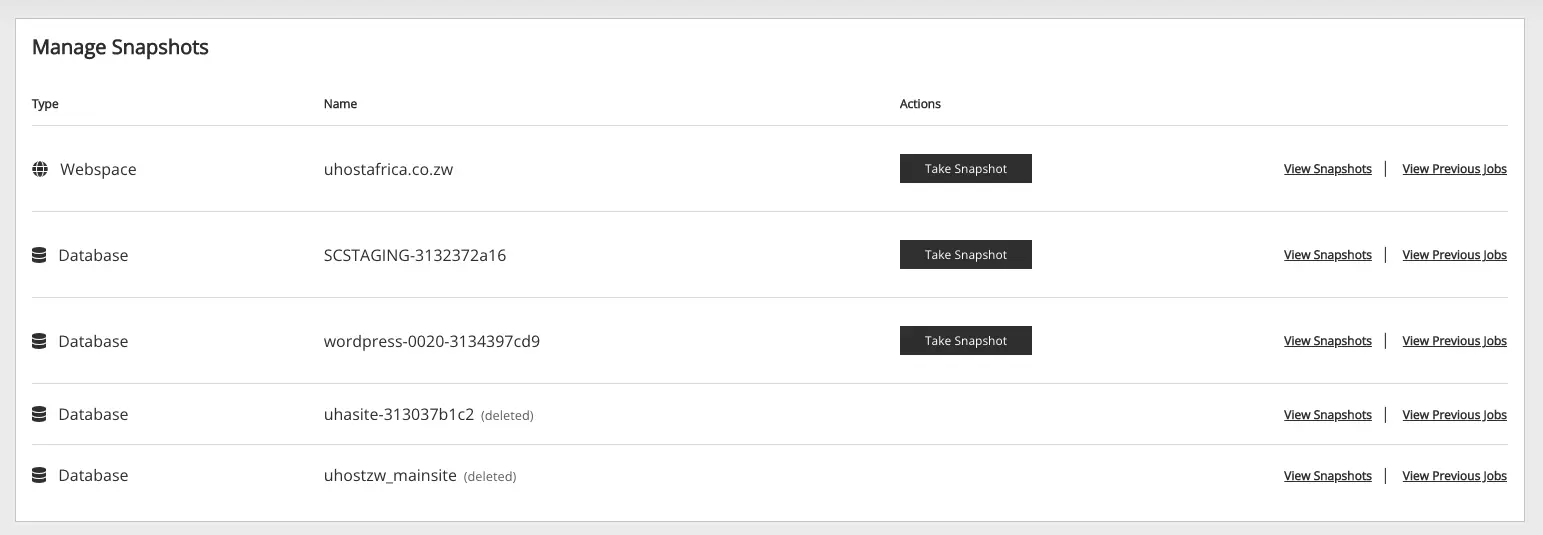
How to restore using timeline backups
You will see the snapshots available to you. Choose the View snapshots option. You will see the various options to restore. Starting with Snapshot time – choose from the drop-down a date you want to restore to > Select the target package and optionally set the path in the package you want to restore. Once complete, click Restore. That’s all for now, the process will begin and you will see the files or database restored.
2. Manual website backup and restore
This option involves you selecting which type you want to backup – Files or Databases. The backups last 12 hours and will be automatically removed. In the backup and restore page select what you would like to backup, then click on Create backup A Zip file will be created that you can download to your local machine.
When you are ready to restore some files, simply go to restore, and choose the option that best suits you. You can delete all files and restore from a zip file, recreate missing files only, and uncompress all files into a temporary directory.
Locate the zip file from your local computer and click on Restore Backup.

That’s all, as always if you need support feel free to contact us.